About Me
My name is James and I'm a year old amateur developer from the UK. Thus-far in my career I have worked as CADCAM Engineer in the furniture industry, but I have been making small programming projects on the side since I was about 14 years old.
Currently, I'm in the process of actively refining my skills and exploring new technologies - one of my ultimate goals is to build my own fully-functional and released application for the web, iOS and Android platforms.
When I'm not working I like to play a bit of golf with my friends (even though I'm dreadful), run recreationally and occasionally do some cycling. I am also in the process of taking the necessary sailing courses to become a qualified Day Skipper, which is an exciting new foray that I am looking forward to. In the future I hope to undertake a week-long hike of the southern UK coast with some friends, but as always, time is not super easy to come by!
On this page you can get a taste of some of the projects I've developed and I hope that it will serve as a centralised location for all my programming news. Thank you for stopping by!

Projects
Moving further into a full-stack dev course I've been following from Codecademy, I had my first taste of the React.js framework. As part of the learning process, I was tasked with creating a single page application that utilises the Spotify API to allow a user to create and save playlists back to their Spotify account.
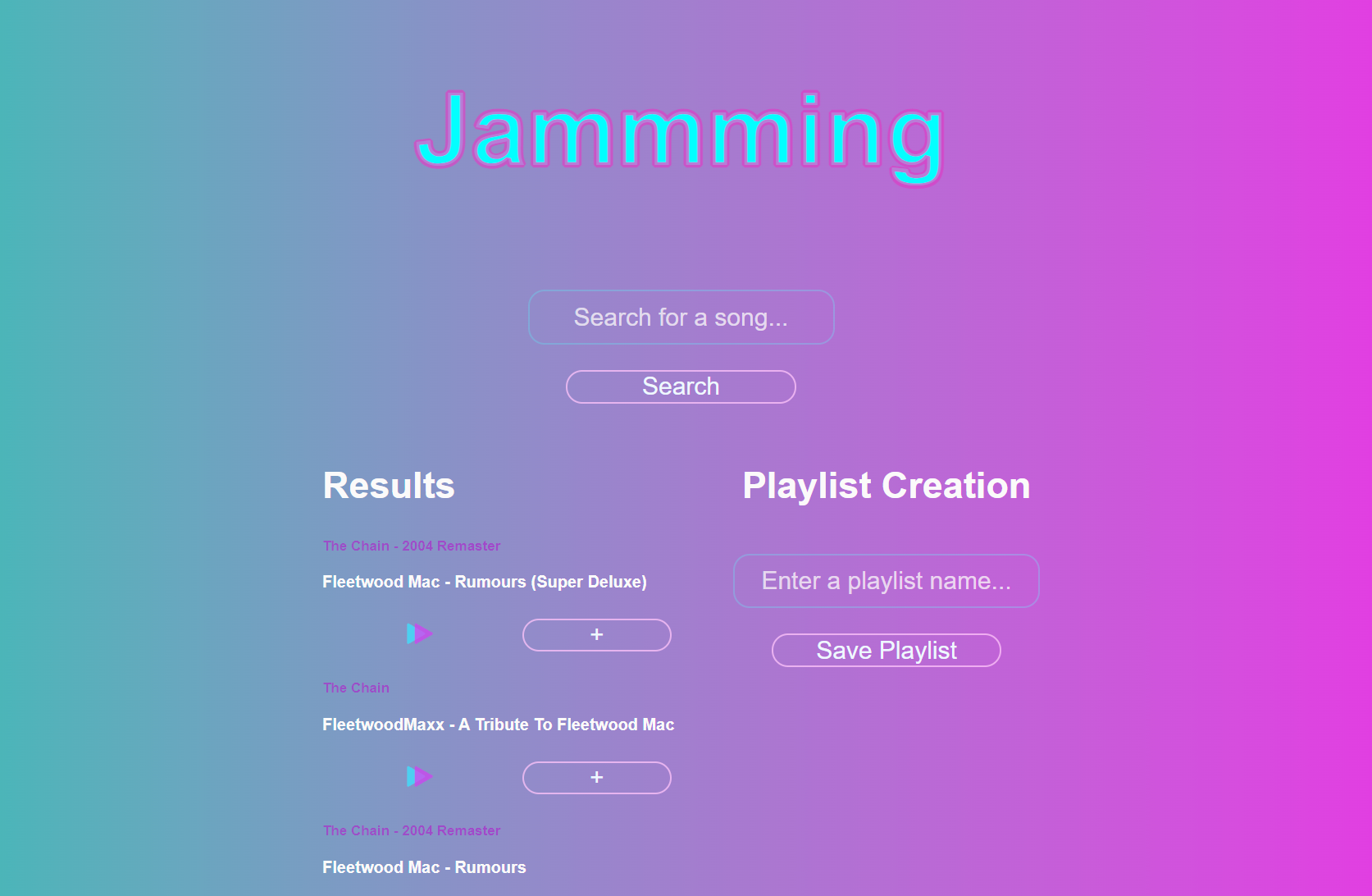
A further learning point in the project was to deploy the app to the web and for this purpose Netlify was utlisied. It's a very straightforward and useful application for publishing React apps, and as such the live app can be found at this address.
This was quite a challenging task to conquer, being the first React app I had ever developed alone, and there are still a number of bugs present in the app that I would like to fix. Namely:
- The first attempted search never returns a result
- A number of users don't seem to be able to authenticate with the app
- Some users are unable to play previews of the songs
Any ideas on how to fix these issues would be greatly appreciated and you can send me an email with your thoughts at the address on the contact page!
Finally, this was also the first time I had experimented with SVGs and basic aninimations (which you can see at work as the track preview play button in the app) - another interesting and exciting thing to learn about!
In true "Hello, World" fashion, once I had gone a bit further in my study of React, I decided to develop a simple "planner" application... in other words a glorified to-do app!
I had covered ReactRouter at this point and so wanted to practice the principles whilst also making something useful for myself. A simple planning app seemed like a good fit for this set of requirements and provided a good amount of expansion opportunities.
At this point in time, I have made a fully functional but basic implmentation of the to-do list part of the app and I'm working on creating a contact page for storing all my useful connections' details. Since I have yet to cover any backend content in my learning, I have utilised the localStorage property of the browser to store the stateful data I need, but it will be easily possible to implement a backend solution in the future, if I feel so inclined.
// The code in the react component that fetches the "saved" state from localStorage

const [todo, setTodo] = useState(JSON.parse(localStorage.getItem("todo")) || []);
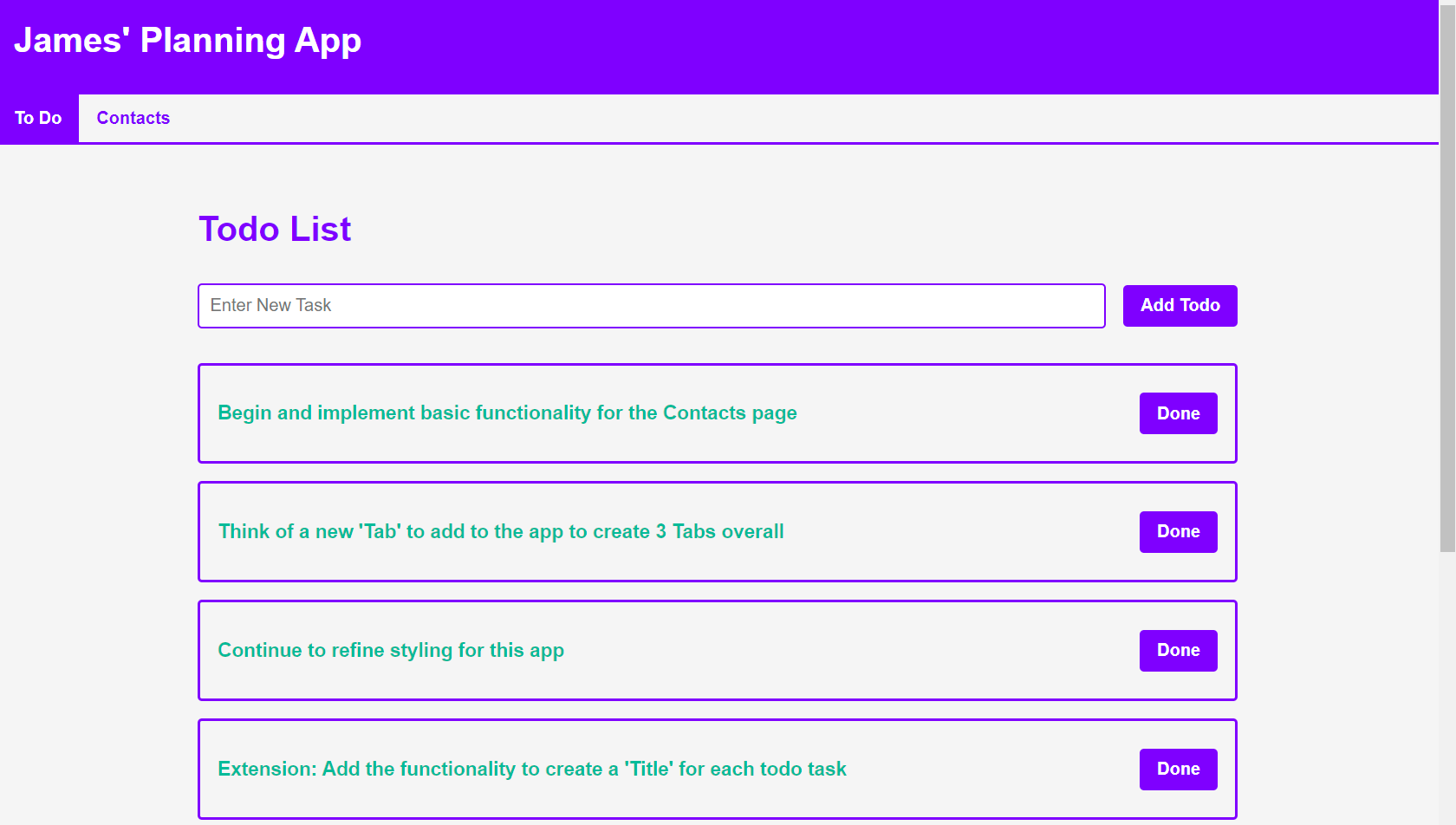
I plan to add a third useful page to the application in due course, but the possibility for expansion is endless and very approachable, due to the modular nature of React.
I won't be publishing this app to the web, so I have made it more like a desktop app by creating an
executable .bat file that I can run to open it up, which was another short, but fun endeavour.